
I Built a WhatsApp Bot by Codex to Store Documents on My Computer Instantly [Totally Free]
What the bot does?
Receipts and supporting documents often arrive when I am away from my computer. Instead of keeping them somewhere and missed to record at last, I can now send them to the WhatsApp bot immediately and choose the folder to store in my local computer right the way.
Two real use cases
Store a file in an existing folder
- I photograph or forward a document to a specific number in WhatsApp (your own number is ok too).
- The WhatsApp bot confirms that the file is waiting safely.
- I send an existing folder name, such as
meal. - The bot stores the file and replies with a success message.
- If I chose the wrong folder, I can send
UNDOwithin 30 minutes.
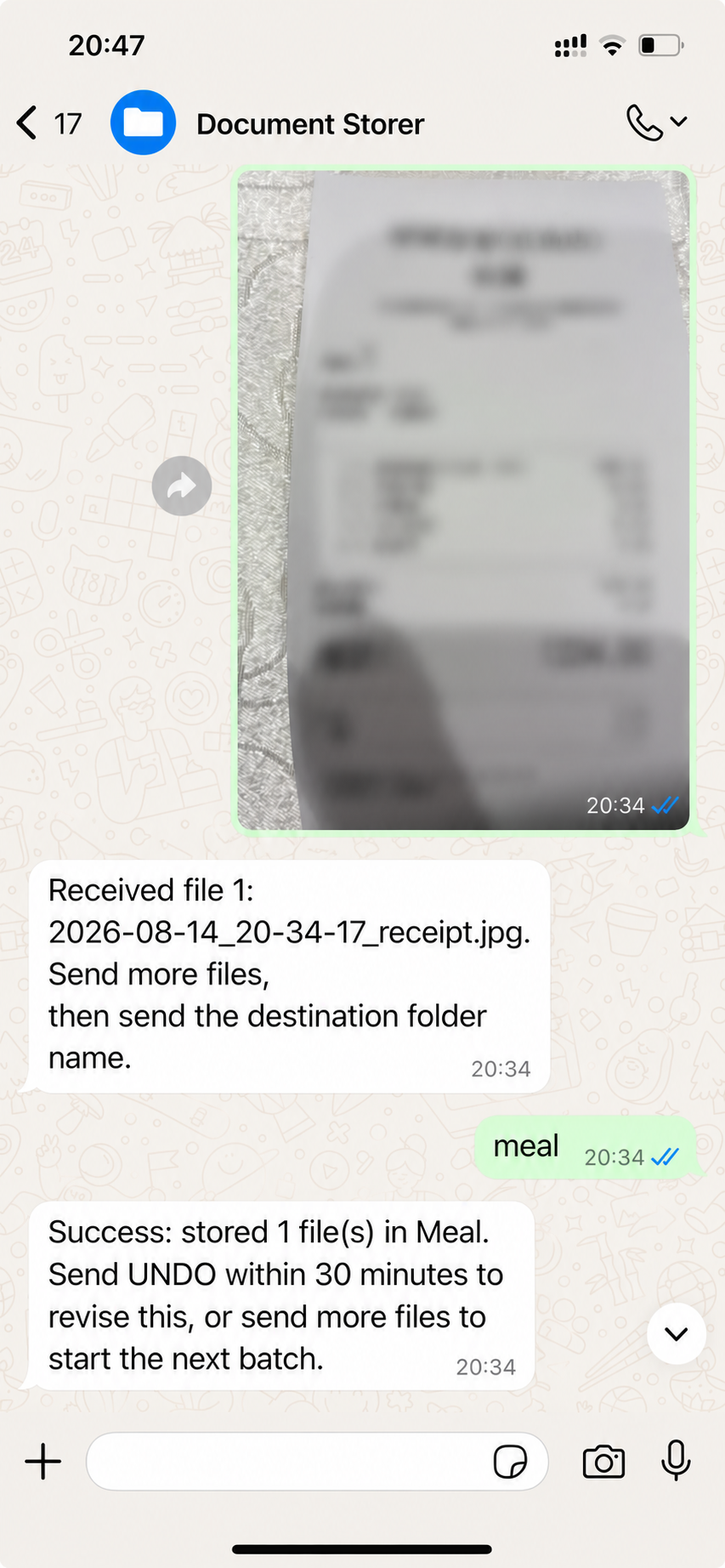
A real receipt workflow. The document details, account identity and unique filename are anonymised.
Create a folder when it does not exist
- I send a folder name that the bot cannot find.
- The bot asks whether it should create the folder.
- I reply
CREATE. - The bot creates the folder, stores the waiting file and confirms success.
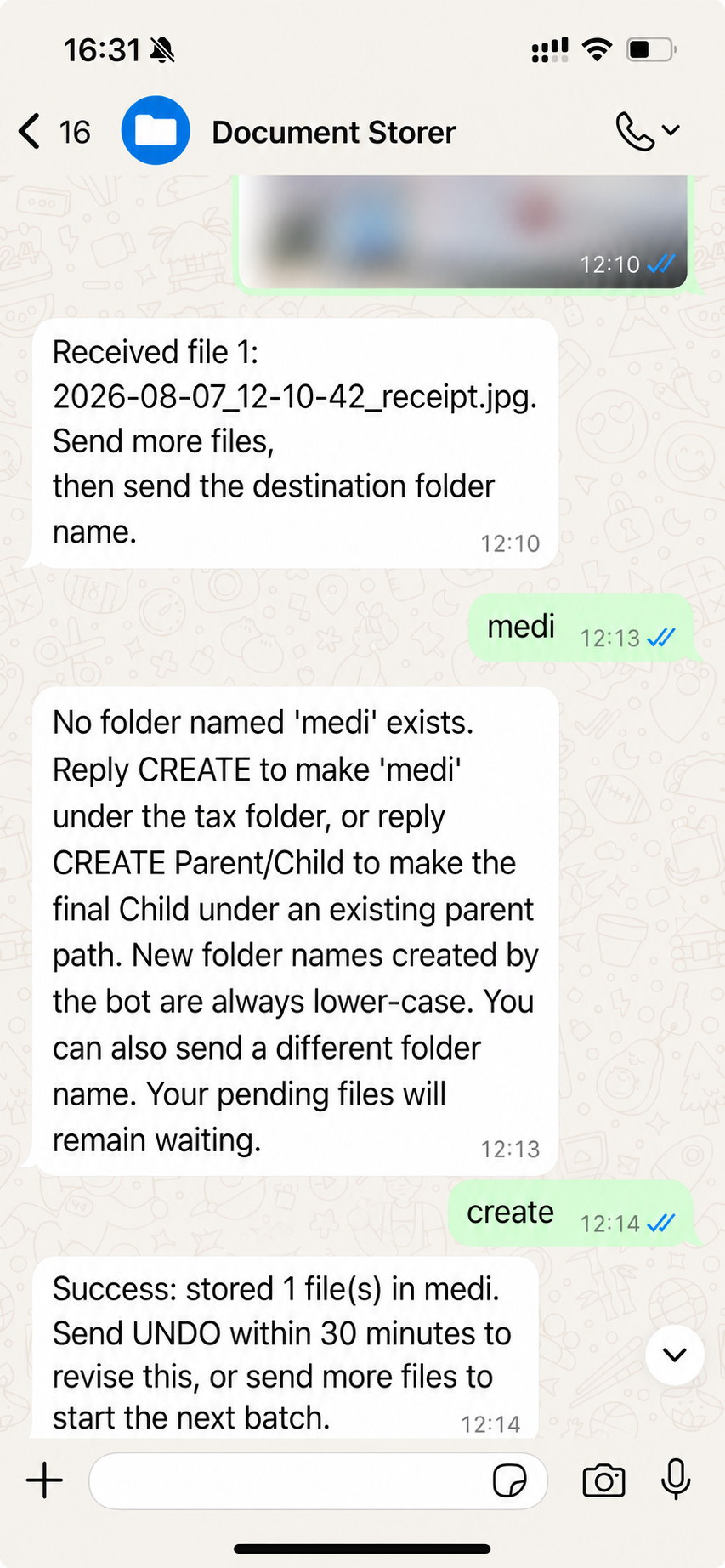
You can set which number the bot would responds to, to share this WhatsApp bot to your designated colleagues or friend.
What the bot handles
- Files can be sent before the folder is chosen.
- Folder searches include nested folders and ignore capitalisation.
- If several folders have the same name, the bot shows a numbered list instead of guessing.
- A new folder requires confirmation. I can also use
CREATE Parent/Childto create it under an existing folder. - Files stay on my computer and are not sent to a language model or external document platform.
What I learned
- The first version expected the folder name before the files. Real mobile use was the opposite, so I changed the workflow.
- A container marked as running does not always mean messages are reaching the bot. The monitor now checks the complete service.
- Moving a file between storage locations can fail. The bot checks the new copy before removing the waiting copy.
Current limits
- The computer and storage folder must be available.
- An expired WhatsApp login still needs manual authorisation.
- The monitor can restart services, but it will not request a login QR code by itself.
The result is simple: send a document immediately, choose where it belongs, and receive a clear reply when it is safely stored.
If you think this is useful and would like to know how to build it, leave a comment and I’ll write a follow-up guide.